Surplus Money — Support FAQs
What is Surplus Money?
Surplus Money shows how much you can safely spend each day without breaking your budget or running down your buffer.
You set up your typical monthly expenses and accounts once.
The app then calculates your daily surplus in real time as you add transactions.
Who is this app for?
People who want simple money management, not complex accounting.
Couples who share finances.
Anyone who feels stressed about spending and wants a clear “safe to spend” number.
Users who prefer predictability over spreadsheets.
Is my data safe?
Your data is stored securely in the cloud using industry-standard encryption.
No bank passwords are stored.
You control who can see your household data via join codes.
You can export or delete your data at any time.
Do I need to connect my bank?
No. Surplus works without any bank connection.
Screenshot or photograph your statement and Surplus imports the transactions in seconds — works with any bank, anywhere in the world.
Prefer to type entries yourself? That works too.
Your photos are processed then deleted, never stored.y.
What does the subscription include?
Unlimited transactions and statement imports
Photo and screenshot import from any bank, anywhere
Your Buffer, updated the moment money moves
Household sharing with your partner or family
Cross-device sync
No ads, no data selling, ever
Can I use this mid-month?
Yes. You simply indicate how much is left to spend in each category for the rest of the month.
The app adjusts automatically from that point forward.
You do not need to enter every past transaction.
Can I use this with my partner?
Yes. Create one household and share a join code.
Both users can add and edit transactions.
Only the household admin can delete the household or remove members.
Can I edit past transactions?
You can edit transactions in the current and previous month.
Older transactions remain visible but read-only for audit and history.
Can I export my data?
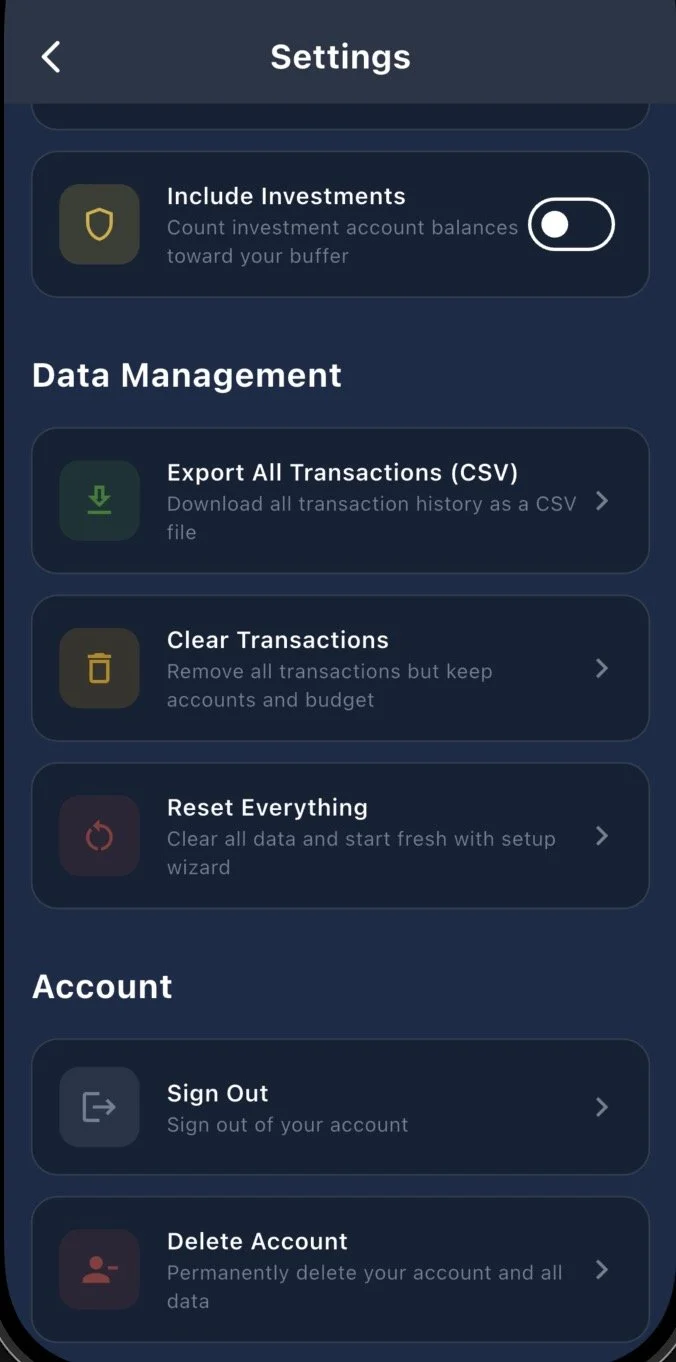
Yes. You can export all transactions, accounts, and balances to CSV from Settings.
The export includes date, account, category, and amount.
What happens if I go offline?
You can continue to add transactions.
Everything syncs automatically when you reconnect.
How is this different from YNAB or spreadsheets?
Surplus Money focuses on one number, your Buffer.
It is simpler, faster, and designed to reduce stress rather than increase detail.
You do not need to “assign every euro” manually, reconcile, or reallocate money between categories.
Can I delete my account and data?
Yes. In Settings you can Clear Transactions, Reset Everything (including your accounts, and monthly plan). Non-admins can leave a household, and Household admins can also delete the household. All users can delete their account permanently from Settings.
Clearing transactions, reseting data and deleting accounts also removes the data from our servers. This action cannot be undone.